 |

Kindle Instructions |
|
Kindle Instructions |
| 1. Download the epub file to your tablet |
| 2. Tap on My Files. It may be in a stand alone folder or in another folder such as Samsung, etc. |
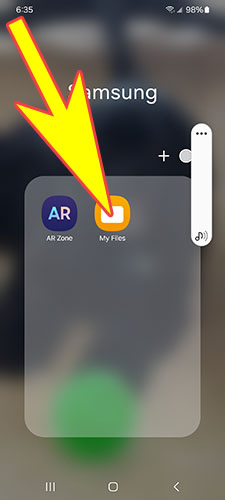
|
| 3. Tap on Internal Storage. |
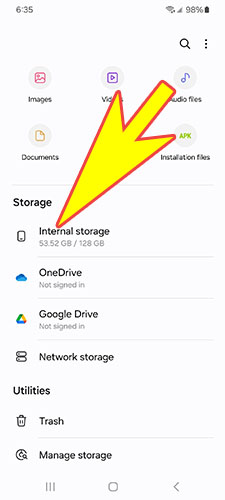
|
| 4. Tap on Download. |
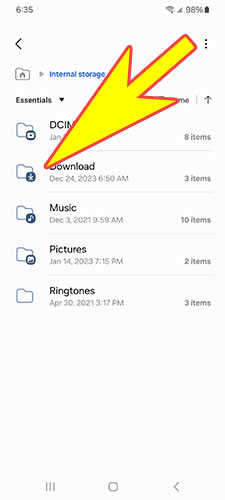
|
| 5. You should see the file you downloaded. |
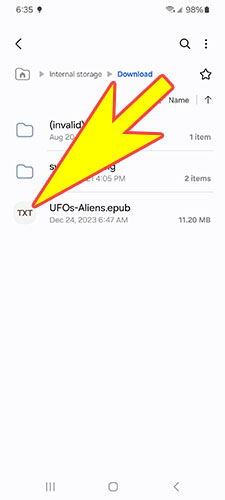
|
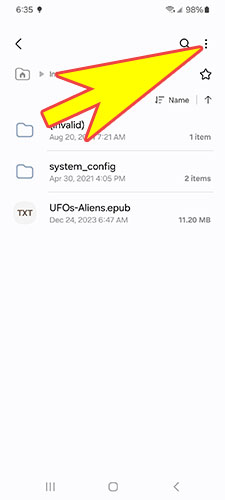
| 6. Tap on the Menu icon |
|
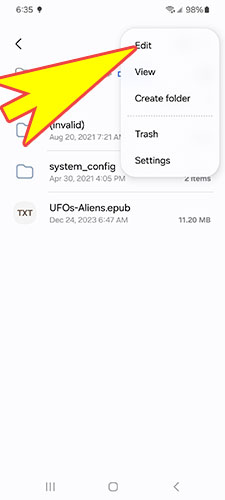
| 7. Tap on Edit |
|
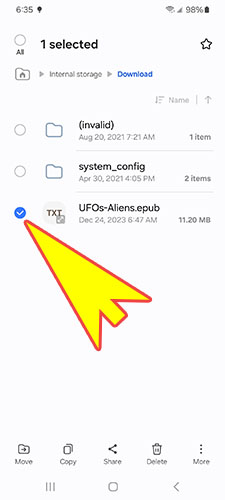
| 8. Select the file. |
|
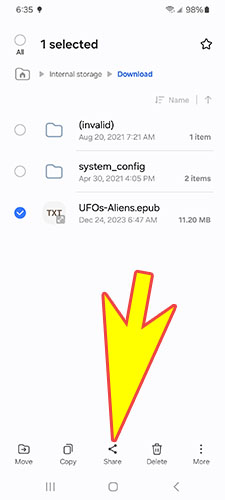
| 9. Tap on the Share icon. |
|
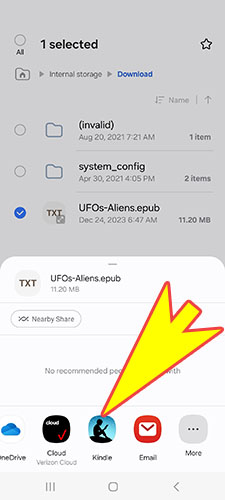
| 10. Tap on the Kindle icon. You may have to scroll across to find it. |
|
| 11. Follow the instructions from there. The ebook should show up in your Kindle library in 5-10 minutes. |